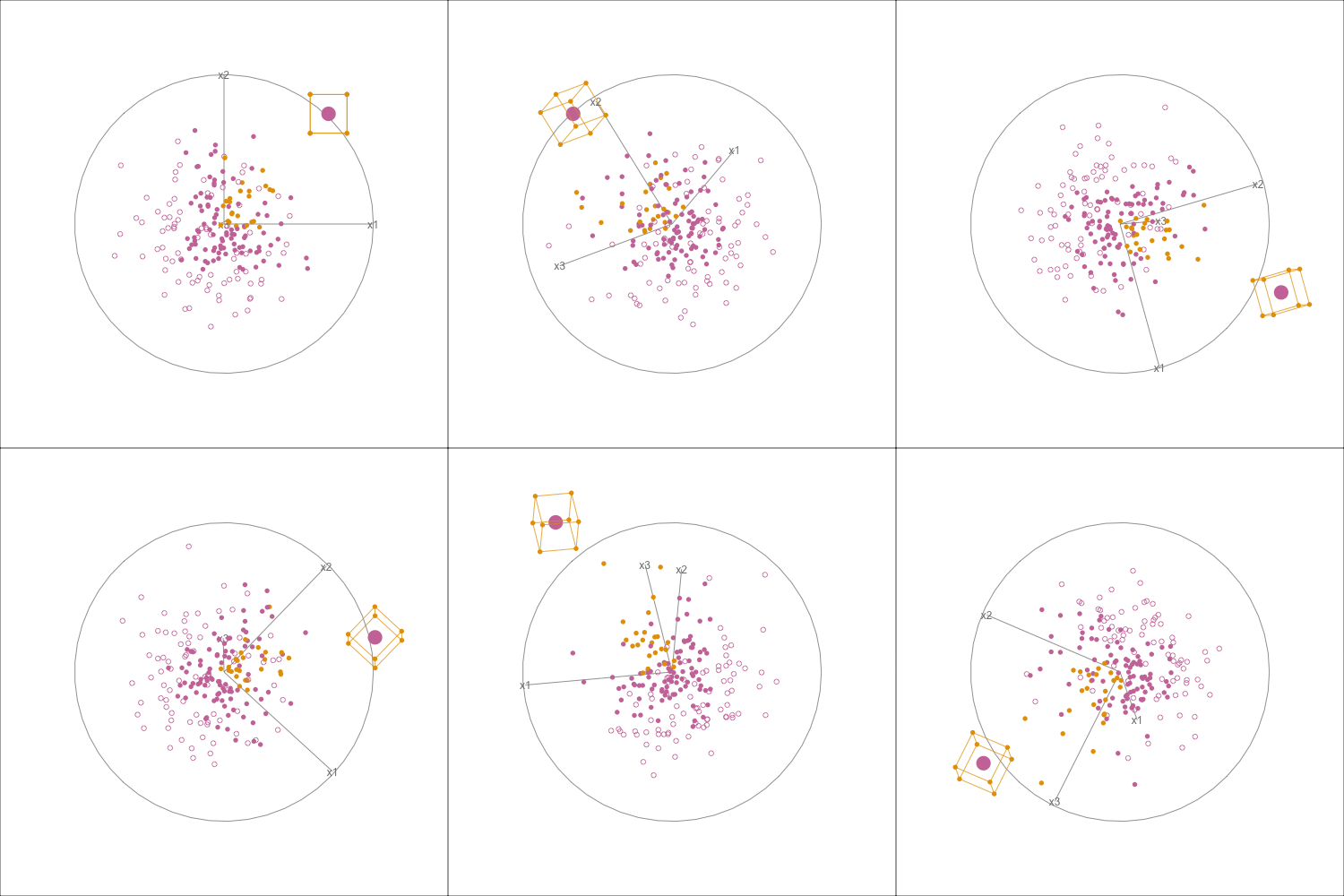
Setting the aesthetics of anchors in the grand tour
Source:vignettes/tour_aesthetics.Rmd
tour_aesthetics.RmdFor this demonstration we will be skipping the anchor generation component and instead use a dataset and a bounding box that is clear and easy to visualize.
We are going to use a dataset containing 200 points of 3 dimensional data.
set.seed(123)
n_points <- 200
dataset <- MASS::mvrnorm(n = n_points, mu = c(0, 0, 0), Sigma = diag(1, 3)) |>
  as.data.frame() |>
  setNames(c("x1", "x2", "x3")) |>
  tibble::tibble()
Next we are going to add a distinctive point that we want to highlight. Let’s put the point a bit farther away from the rest of the points at (3,3,3)
We will now create a tiny bounding box that resembles the result of
running a make_anchors function call.
nudge <- 0.5
bounds <- c(3 - nudge, 3 + nudge)
anchor_result <- tibble::tibble(
  x1 = bounds,
  x2 = bounds,
  x3 = bounds,
  bound = c("lower", "upper")
)Here we will be using two colors and two types of shapes to demonstrate the key capabilities.
orange <- "#E69F00"
purple <- "#CC79A7"
solid <- 16
hollow <- 1
Ideally, the solid points should indicate the misclassified points while the hollow points should indicate the correctly classified points. The colors of the point should be the class predictions as given by the model, which would then give the idea that the solid points with a certain color are points that were misclassified as the class indicated by the color of the point.
In addition we can change the size of the point to indicate which point we are currently looking at.
point_colors <- dataset |>
  as.matrix() |>
  apply(1, function(x) all(x > 0)) |>
  ifelse(orange, purple)
point_colors[(n_points + 1)] <- purple

point_sizes <- rep(1, nrow(dataset))
point_sizes[(n_points + 1)] <- 3

point_shapes <- dataset |>
  as.matrix() |>
  apply(1, function(x) all(x > -1)) |>
  ifelse(solid, hollow)
Now that we have the ingredients set up. The first step is to create a bounding box instance.
bnd_box <- bounding_box(
  bounds_tbl = anchor_result,
  target_inst_row = dataset[(n_points + 1), c("x1", "x2", "x3")],
  point_colors = orange,
  edges_colors = orange
)
The next step is to create the anchor_tour object to
hold the data
anc_tour <- anchor_tour(
  bnd_box,
  dataset,
  point_colors = point_colors,
  point_shapes = point_shapes,
  point_sizes = point_sizes
)

animate_anchor(
  anc_tour,
  gif_file = "tour_aes_1.gif",
  width = 500,
  height = 500,
  frames = 360
)